
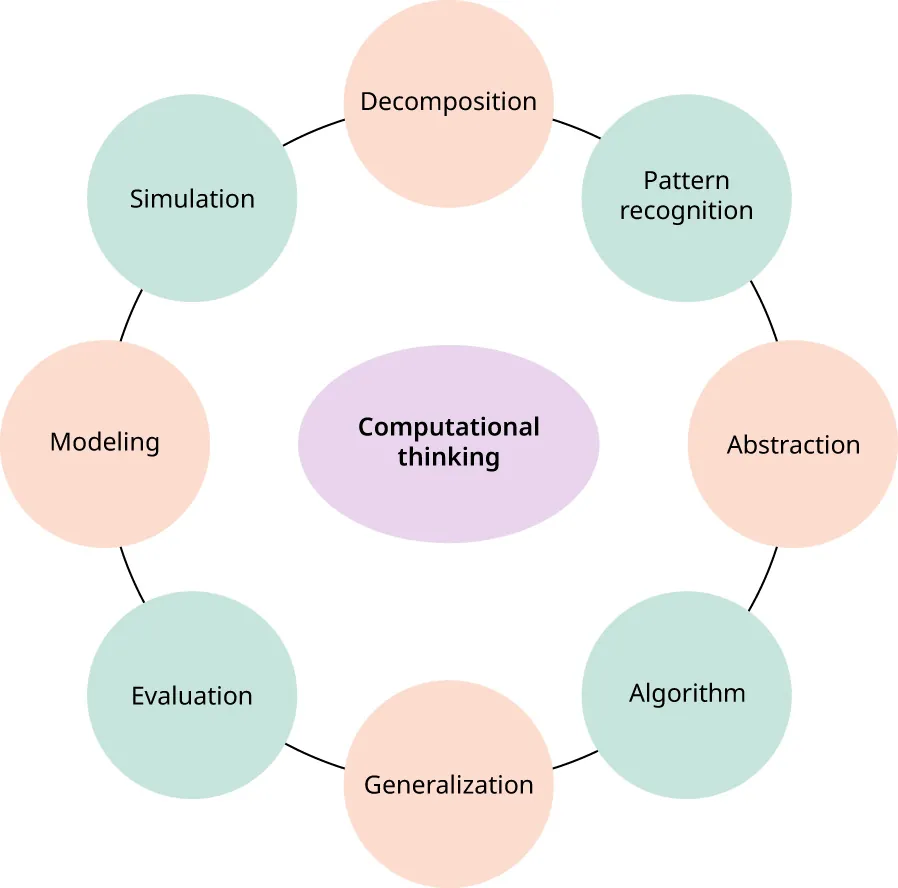
Computational thinking is an essential skill that helps students solve problems, recognize patterns, organize information, and develop logical solutions. Although it is often associated with computer programming, students do not need computers, tablets, or specialized software to begin developing these abilities. Teachers can introduce computational thinking through puzzles, movement games, paper-based challenges, storytelling, and everyday classroom activities.
Learning computational thinking without computers makes computer science concepts more accessible to students with different learning needs and levels of technology access. It also helps learners focus on the thinking process behind a solution rather than becoming distracted by unfamiliar software or programming tools.
This guide explains how to teach computational thinking without computers, introduces 12 practical classroom activities, and provides strategies for lesson planning, assessment, and adapting activities for different age groups.
What Is Computational Thinking?
Computational thinking is a problem-solving approach that involves breaking complicated problems into manageable parts, identifying patterns, focusing on relevant information, and developing clear step-by-step solutions.
It is useful in computer science, mathematics, science, language learning, and everyday decision-making. For example, when students organize a school event, they must identify tasks, arrange them in a logical order, anticipate possible problems, and adjust their plan when circumstances change.
Computational thinking does not mean simply using a computer or memorizing programming commands. It involves learning how to approach problems systematically and explain why a particular solution works.
Teachers can develop these skills through unplugged learning activities that use ordinary classroom materials, physical movement, discussion, and games.
The Four Main Components of Computational Thinking
Before introducing computational thinking activities without computers, teachers should understand the four core concepts students will practice.
1. Decomposition
Decomposition means breaking a complex problem into smaller, more manageable tasks.
For example, preparing a classroom presentation can be divided into choosing a topic, researching information, organizing ideas, creating visuals, practicing, and presenting. Each task becomes easier to manage when students approach it separately.
Classroom example: Ask students to describe the steps involved in organizing a school library. They might divide the project into sorting books, labeling shelves, arranging categories, and creating a borrowing system.
2. Pattern Recognition
Pattern recognition involves identifying similarities, repeated sequences, and relationships within information or problems.
Students use pattern recognition when they identify number sequences, group objects by shared characteristics, recognize repeated story structures, or notice similarities between mathematical problems.
Classroom example: Give students a collection of shapes and ask them to group the shapes according to color, size, number of sides, or another shared feature.
3. Abstraction
Abstraction means concentrating on important information while ignoring details that are not relevant to the problem.
For instance, a school map may show classrooms, corridors, entrances, and staircases without including every desk, chair, or decoration. The map simplifies reality to highlight information needed for navigation.
Classroom example: Ask students to draw a simple map from the classroom to the library. They should include important landmarks and directions while leaving out unnecessary details.
4. Algorithm Design
An algorithm is a clearly ordered set of instructions for completing a task or solving a problem.
Students encounter algorithms when following a recipe, solving a mathematical procedure, assembling an object, or explaining how to reach a destination.
Classroom example: Ask students to write instructions for washing their hands or packing a school bag. Another student follows the instructions exactly and identifies any missing or confusing steps.
These four concepts provide a foundation for computational thinking. They can be introduced separately and then combined in more complex activities.
Why Teach Computational Thinking Without Computers?
Unplugged learning activities allow students to explore computer science concepts without requiring digital devices. They are particularly useful when schools have limited technology, when teachers want to introduce foundational concepts before coding, or when students benefit from physical and collaborative learning.
Makes Learning More Accessible
Students can participate using paper, pencils, cards, classroom objects, and movement. This reduces dependence on expensive equipment and makes it easier to introduce computational thinking in different educational settings.
Develops Logical Reasoning
When students organize instructions, solve puzzles, and test solutions, they learn to explain their reasoning. They also discover how an incorrect step can affect the final result.
Encourages Collaboration
Many unplugged activities work well in pairs or small groups. Students can discuss possible solutions, compare strategies, explain decisions, and learn from alternative approaches.
Makes Abstract Concepts Concrete
Concepts such as algorithms and debugging can seem unfamiliar to beginners. Physical games make these ideas easier to understand because students can see the steps, follow the instructions, and observe the results.
Supports Problem-Solving Confidence
Students can experiment without worrying about software errors or unfamiliar interfaces. When a solution does not work, they can revise the instructions, change a strategy, and try again.
Research reviews have found that unplugged activities are a promising approach for developing computational thinking skills. However, results depend on factors such as the activity design, students’ age, instructional support, and how learning is assessed.
12 Computational Thinking Activities Without Computers
The following activities use accessible materials and can be adapted for elementary and middle school students. Teachers can increase the complexity for older learners by introducing more rules, larger problems, constraints, and formal explanations.
1. Program a Human Robot
Main skill: Algorithm design and debugging
Materials: Direction cards or paper arrows, masking tape, and classroom objects.
This activity helps students understand that computers follow instructions rather than automatically understanding what a person intends.
How to do it:
- Create a simple path on the classroom floor using tape.
- Choose one student to act as a robot and another to act as the programmer.
- Give the programmer a set of instructions such as move forward, turn left, and turn right.
- Ask the robot to follow each instruction exactly as given.
- If the robot reaches the wrong location, let the programmer identify and correct the error.
Example challenge: Guide the robot from the classroom door to a designated desk while avoiding obstacles.
How it develops computational thinking: Students learn to sequence actions, communicate precisely, anticipate obstacles, and debug incorrect instructions.
For younger students, use a short path with only a few movements. Older students can design routes with multiple turns, restricted movement, or specific checkpoints.
2. Create an Everyday Algorithm
Main skill: Sequencing and algorithm design
Materials: Paper, pencils, and everyday task cards.
Students develop algorithms by explaining ordinary tasks as ordered steps.
How to do it:
- Choose a familiar activity, such as making a sandwich, brushing teeth, or preparing a school bag.
- Ask students to list every necessary step in order.
- Exchange the instructions with another student.
- Have the second student follow the sequence or identify any missing steps.
- Revise the instructions to make them clearer and more complete.
Example challenge: Write instructions for packing a school bag so that all required books and materials are included.
How it develops computational thinking: Students learn that a successful algorithm must be specific, logically ordered, and complete.
Teachers can introduce conditional instructions for older students, such as, “If tomorrow is a sports day, include your sports uniform.”
3. Solve Pattern Recognition Puzzles
Main skill: Pattern recognition
Materials: Colored paper, number cards, shapes, or classroom objects.
Patterns help students identify repeated structures and use them to predict what comes next.
How to do it:
- Create a sequence such as red, blue, red, blue.
- Ask students to identify the repeating pattern.
- Remove one item and ask them to determine which item is missing.
- Let students create their own sequences for classmates to solve.
- Introduce more complex patterns using numbers, shapes, or multiple attributes.
Example challenge: Identify the rule in the sequence 3, 6, 9, 12 and predict the next two numbers.
How it develops computational thinking: Students practice identifying regularities, predicting outcomes, and explaining the rules behind a sequence.
For older students, use patterns involving multiple rules or ask learners to compare different rules that could explain the same sequence.
4. Break a Big Problem Into Smaller Tasks
Main skill: Decomposition
Materials: Paper, pencils, and project-planning cards.
Decomposition helps students approach complicated tasks without becoming overwhelmed.
How to do it:
- Present a classroom challenge, such as organizing a book fair.
- Ask students to identify the main tasks involved.
- Divide each task into smaller steps.
- Arrange the tasks into a logical plan.
- Discuss which tasks depend on other tasks being completed first.
Example challenge: Plan a classroom science exhibition by dividing the project into choosing experiments, gathering materials, preparing displays, assigning responsibilities, and presenting results.
How it develops computational thinking: Students learn to organize complex problems into manageable components and understand how those components work together.
Older students can create task dependencies and identify which activities can happen simultaneously.
5. Play a Human Sorting Game
Main skill: Algorithms, comparison, and logical reasoning
Materials: Number cards or cards containing words, colors, or symbols.
Sorting is an important computational process because computers often organize information according to defined rules.
How to do it:
- Give each student a card containing a number.
- Ask the class to arrange themselves from smallest to largest.
- Discuss the strategies students used to find their positions.
- Repeat the activity using alphabetical order or another sorting rule.
- Compare different strategies for sorting the same set of cards.
Example challenge: Arrange 12 number cards in ascending order while minimizing unnecessary comparisons.
How it develops computational thinking: Students practice comparing values, following rules, recognizing order, and evaluating alternative procedures.
For older students, introduce a simple sorting algorithm. Students can compare how many comparisons different methods require when organizing the same set of cards.
6. Design a Classroom Treasure Hunt
Main skill: Algorithm design and problem-solving
Materials: Clue cards, paper arrows, and safe classroom objects.
Treasure hunts turn computational thinking into an engaging problem-solving experience.
How to do it:
- Hide a small object in a safe, accessible location.
- Prepare a series of clues or directional instructions.
- Ask students to follow the clues in the correct order.
- Include a simple decision point, such as choosing a route based on a symbol.
- Invite students to design their own treasure hunts for another group.
Example challenge: Create a route with six instructions that leads a team to a hidden classroom object without crossing a marked boundary.
How it develops computational thinking: Students practice sequencing, interpreting instructions, planning routes, and troubleshooting errors.
To increase difficulty, introduce restrictions such as limited movement commands or a requirement to visit specific checkpoints.
7. Introduce Conditional Logic With an If-Then Game
Main skill: Conditional logic
Materials: Paper cards or a list of classroom rules.
Conditional logic allows a program to respond differently depending on whether a condition is met.
How to do it:
- Explain a simple rule: “If you see a red card, clap once.”
- Introduce a second rule: “If you see a blue card, raise your hand.”
- Show different cards and ask students to follow the corresponding instructions.
- Add more rules while ensuring they remain clear and manageable.
- Ask students to write their own conditional rules and test them with classmates.
Example challenge: Create a classroom sorting game in which students place objects into different groups according to their color or shape.
How it develops computational thinking: Students learn to connect conditions with actions and understand how a system can make decisions according to defined rules.
For older students, introduce compound conditions such as “If the card is red and the number is greater than five, move it to the first group.”
8. Use Binary Number Cards
Main skill: Data representation and logical reasoning
Materials: Five cards, each showing a different number of dots, and a worksheet.
Computers represent information using binary digits, commonly called bits. A simple card activity can help students understand how combinations of two states represent numbers.
How to do it:
- Prepare five cards representing 1, 2, 4, 8, and 16 dots.
- Explain that each card can be either face up or face down.
- Show students how selecting certain cards adds up to a target number.
- Ask them to represent different numbers by choosing the appropriate cards.
- Let students challenge each other to represent numbers between 0 and 31.
Example challenge: Represent the number 13 using cards valued at 1, 2, 4, 8, and 16.
Students select the cards valued at 8, 4, and 1 because 8 + 4 + 1 = 13.
How it develops computational thinking: Students learn that information can be represented using combinations of simple states. They also practice decomposition, arithmetic, and systematic reasoning.
This activity is a useful introduction to binary representation without requiring students to use a computer.
9. Debug a Set of Instructions
Main skill: Debugging and evaluation
Materials: Printed instruction cards or handwritten directions.
Debugging means finding and correcting errors in a procedure or solution.
How to do it:
- Prepare a set of instructions containing one or more deliberate mistakes.
- Ask students to follow the instructions or mentally trace the expected outcome.
- Have them identify the step that causes the problem.
- Ask them to explain why the step is incorrect.
- Rewrite and test the corrected instructions.
Example challenge: Give students directions for moving through a grid that accidentally instruct the player to move into a wall.
How it develops computational thinking: Students learn to examine a process systematically, locate errors, and make targeted corrections.
Encourage learners to change only the necessary instructions rather than rewriting the entire procedure without identifying the cause of the error.
10. Create a Paper-Based Decision Tree
Main skill: Decision-making and conditional logic
Materials: Paper, pencils, and scenario cards.
A decision tree represents a series of questions and possible outcomes. It can help students understand how a system reaches a decision based on available information.
How to do it:
- Choose a familiar topic, such as sorting books or identifying animals.
- Ask students to create a series of yes-or-no questions.
- Draw branches showing the possible answers to each question.
- Follow the branches to reach a final category or result.
- Test the tree with examples and revise any confusing questions.
Example challenge: Create a decision tree that sorts classroom objects according to whether they are living or nonliving, then uses additional questions to classify them.
How it develops computational thinking: Students practice organizing information, selecting relevant features, and designing a logical sequence of decisions.
For older students, ask whether the tree can be made shorter or more efficient without losing accuracy.
11. Compress a Message Using Repeated Symbols
Main skill: Pattern recognition and data compression
Materials: Paper, pencils, and simple symbol sequences.
Data compression involves representing information more efficiently. Students can explore the basic idea by finding repeated sequences in a message.
How to do it:
- Write a short sequence of symbols, such as star, star, star, circle, circle, triangle.
- Ask students to identify repeated groups.
- Create a simple notation for representing repetitions, such as “3 stars, 2 circles, 1 triangle.”
- Ask another student to reconstruct the original sequence from the compressed version.
- Compare the length and clarity of the original and compressed representations.
Example challenge: Represent a row of 20 symbols using the fewest clear written instructions possible.
How it develops computational thinking: Students learn to recognize repeated patterns, create concise representations, and check whether information can be reconstructed accurately.
Explain that this is a simplified model of data compression. Real compression methods can be much more complex, and not every message becomes shorter when compressed.
12. Plan the Most Efficient Route
Main skill: Optimization and algorithm design
Materials: A hand-drawn grid map, pencils, and paper markers.
Optimization involves finding a good solution while considering constraints such as distance, time, or available resources.
How to do it:
- Draw a grid with a starting point, a destination, and several obstacles.
- Ask students to plan a route that reaches the destination.
- Have them count the steps required.
- Introduce a second route and compare the number of steps.
- Ask students to find the shortest valid route under the given rules.
Example challenge: Find a route from the classroom entrance to the library while avoiding blocked corridors and visiting one required checkpoint.
How it develops computational thinking: Students practice planning, evaluating alternatives, following constraints, and improving a solution.
Older students can compare multiple routes and explain why a route is optimal under the specified conditions.
How to Plan an Effective Unplugged Computational Thinking Lesson
A successful lesson should have a clear learning goal, a manageable challenge, and opportunities for students to explain their reasoning. Teachers can use the following structure for most computational thinking activities.
Step 1: Identify the Learning Objective
Choose one or two skills to emphasize, such as decomposition, pattern recognition, algorithms, or debugging.
For example, a human robot activity might focus on writing precise instructions and correcting errors.
Step 2: Introduce a Realistic Problem
Begin with a question students can understand.
Examples include:
- How can we guide someone through a maze?
- How can we organize books efficiently?
- How can we describe a task so another person can complete it accurately?
- How can we represent a number using a small set of cards?
A meaningful problem gives students a reason to apply computational thinking.
Step 3: Let Students Develop a Solution
Provide the necessary materials and explain the rules, but avoid giving students every step of the answer.
Encourage them to discuss possible approaches, create a plan, and predict what might happen.
Step 4: Test the Solution
Students should follow their instructions, apply their rules, or test their proposed system.
If the solution fails, ask them to identify the specific step or assumption that caused the problem.
Step 5: Reflect and Improve
Ask students to explain what worked, what did not, and how they would improve their approach.
Reflection helps learners recognize that computational thinking is a repeatable process of planning, testing, evaluating, and revising.
A Sample Five-Day Lesson Plan
Teachers can introduce computational thinking through a short sequence of activities that gradually increases in complexity.
Day 1: Algorithms and sequencing
Students write step-by-step instructions for an everyday task and exchange instructions with classmates. The lesson focuses on clarity, order, and completeness.
Day 2: Pattern recognition
Students solve number, shape, and symbol puzzles. They explain the rules they identify and create new patterns for their classmates.
Day 3: Decomposition
Groups break a larger classroom challenge into smaller tasks. They identify dependencies and organize the steps into a practical plan.
Day 4: Conditional logic and debugging
Students follow if-then rules and correct flawed instructions. They explain how a small change can affect the final outcome.
Day 5: Computational thinking challenge
Students complete a treasure hunt or route-planning challenge that combines algorithms, patterns, and debugging. Each group presents its approach and explains how it improved the solution.
At the end of the week, teachers can ask students to describe which strategies helped them solve problems and where they could apply these strategies outside the classroom.
How to Assess Computational Thinking Without Computers
Teachers can assess computational thinking by observing how students approach problems, explain decisions, and improve solutions. Digital tests are not required to evaluate these foundational skills.
Use Observation Checklists
During activities, look for whether students can:
- Break a complex problem into smaller tasks.
- Identify a repeated pattern or useful similarity.
- Write instructions in a logical sequence.
- Follow rules consistently.
- Identify and correct errors.
- Explain why a solution works.
Ask Students to Keep a Learning Journal
A short reflection after each activity can help students recognize their thinking processes.
Useful prompts include:
- What problem were you trying to solve?
- What steps did you take?
- Which part was most difficult?
- What mistake did you discover?
- How did you improve your solution?
Evaluate the Reasoning, Not Just the Answer
Students may reach the same outcome using different strategies. Teachers should evaluate whether the approach is logical, clear, and appropriate for the task.
A student who identifies an error, explains its cause, and improves the procedure demonstrates valuable computational thinking even if the first attempt was unsuccessful.
Use Peer Explanation
Ask students to explain their solutions to classmates. When learners must communicate their reasoning, teachers can identify misunderstandings and assess whether students truly understand the process.
Adapting Activities for Different Age Groups
Early Elementary Students
Use physical movement, picture cards, simple patterns, and familiar tasks. Keep instructions short and provide opportunities to demonstrate answers with objects.
Suitable activities include human robot games, simple sequencing, and color-pattern puzzles.
Upper Elementary Students
Introduce more complex algorithms, grid navigation, conditional rules, and basic binary number cards. Encourage students to record their strategies and explain how they reached a solution.
Middle School Students
Increase the number of constraints and ask students to compare different approaches. Activities involving optimization, data compression, decision trees, and sorting algorithms can develop deeper reasoning.
Secondary School Students
Older students can explore more advanced algorithm design, efficiency, logical conditions, information representation, and formal analysis of procedures. Ask them to justify their solutions and evaluate trade-offs between alternative methods.
The same activity can often serve several age groups when teachers adjust the difficulty and the amount of independent reasoning expected.
Practical Tips for Inclusive Computational Thinking Lessons
Effective unplugged lessons should give every student a meaningful opportunity to participate.
- Offer multiple ways to respond: Students can explain an idea verbally, draw a diagram, arrange cards, or demonstrate a sequence through movement.
- Use clear instructions: Break tasks into manageable stages and model unfamiliar procedures before independent work.
- Provide suitable challenges: Offer optional extensions for students who complete a task quickly and additional guidance for those who need support.
- Encourage collaboration: Use pairs or small groups with rotating responsibilities so each learner contributes.
- Avoid rewarding speed alone: Give students time to think, test ideas, and explain their decisions.
- Use familiar examples: Connect computational thinking to classroom routines, games, stories, mathematics, and everyday tasks.
Teachers should also consider physical accessibility, language needs, and sensory preferences when planning movement-based activities. A student should be able to participate meaningfully without being required to complete an inaccessible physical task.
Common Mistakes to Avoid
Focusing Only on Fun
Games can make lessons engaging, but students should understand the computational thinking skill being practiced. End each activity with a short discussion linking the experience to its learning objective.
Giving Students the Complete Solution
If teachers demonstrate every step before students begin, learners may simply copy the procedure. Provide enough structure to get started while leaving room for exploration and decision-making.
Treating Every Error as Failure
Errors provide opportunities to learn about debugging and improve a solution. Encourage students to identify why something went wrong rather than simply starting over.
Ignoring Reflection
An activity may be enjoyable without producing a clear understanding of the underlying concept. Ask students to explain the strategy they used and how they might apply it to another problem.
Teaching Concepts in Isolation
Computational thinking becomes more meaningful when students see connections between skills. A route-planning task, for example, can combine decomposition, algorithms, conditional logic, and optimization.
Frequently Asked Questions
Can computational thinking be taught without computers?
Yes. Computational thinking can be introduced through puzzles, paper-based tasks, physical games, sorting activities, storytelling, and everyday problem-solving. These activities help students practice the logical processes that are also useful in programming.
What are the best computational thinking activities without computers?
Effective activities include human robot games, algorithm-writing tasks, pattern puzzles, sorting games, binary number cards, debugging challenges, decision trees, and route-planning activities. The best choice depends on students’ ages, learning objectives, and prior experience.
Is computational thinking the same as coding?
No. Coding involves writing instructions in a programming language, while computational thinking is a broader problem-solving approach. It includes decomposition, pattern recognition, abstraction, algorithm design, and related skills that students can practice without writing code.
What materials are needed for unplugged computational thinking activities?
Most activities require inexpensive materials such as paper, pencils, cards, tape, classroom objects, and printed grids. Some activities can be conducted entirely through discussion and movement without any special equipment.
How do unplugged activities prepare students for programming?
Unplugged activities introduce foundational concepts such as sequences, conditions, patterns, and debugging. Students can develop an understanding of these ideas before applying them in a programming environment. However, unplugged activities complement rather than completely replace practical coding experience when learning to program.
How can teachers assess computational thinking skills?
Teachers can observe students solving problems, examine their instructions and diagrams, review learning journals, and ask students to explain their reasoning. Assessment should consider the clarity of the process, the use of evidence, and the ability to identify and correct errors.
Are unplugged computational thinking activities suitable for students with limited technology access?
Yes. These activities are particularly useful when computer access is limited because they can be conducted using ordinary classroom resources. With thoughtful adaptations, they can also offer different ways for students with varied learning needs to participate.
Conclusion
Teaching computational thinking without computers helps students develop important problem-solving skills through practical, engaging, and accessible learning experiences. Activities such as human robot games, pattern recognition puzzles, sorting challenges, binary number cards, and route planning introduce foundational computer science concepts without requiring digital devices.
For the best learning outcomes, teachers should establish clear objectives, allow students to test their own ideas, encourage debugging, and ask learners to explain their reasoning. Activities should also be adapted to students’ ages, abilities, and classroom resources.
By incorporating computational thinking activities without computers into regular lessons, educators can help students become more systematic thinkers, confident problem-solvers, and better prepared to understand programming and technology when they encounter them.
