
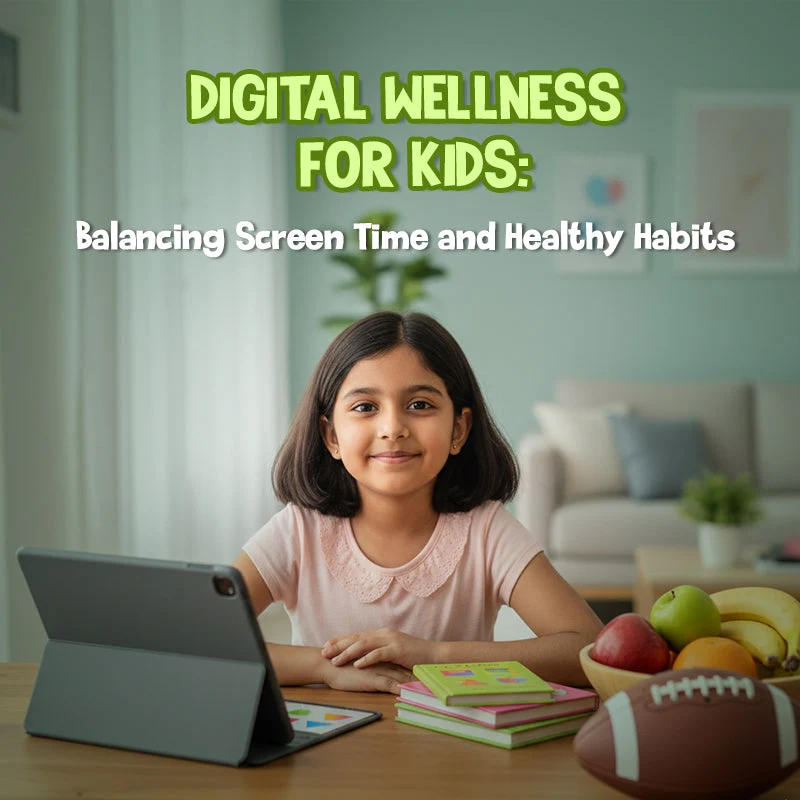
Digital technology has become an important part of modern education. Students use laptops, tablets, smartphones, and online learning platforms to complete assignments, research information, communicate with classmates, and develop new skills. When used thoughtfully, these tools can make learning more accessible, interactive, and engaging.
However, digital technology can also create challenges. Frequent notifications, late-night scrolling, online distractions, privacy risks, and excessive recreational screen use may interfere with students’ sleep, concentration, physical activity, and emotional well-being.
Schools have an important role in helping students develop healthy digital habits for students that support learning, safety, and a balanced lifestyle. The goal is not to eliminate technology from education. Instead, students need guidance on how to use digital tools purposefully, manage distractions, protect personal information, and maintain meaningful offline activities.
By combining digital literacy lessons, clear classroom expectations, family collaboration, and opportunities for screen-free activities, schools can help students become responsible and confident digital citizens.
What Are Healthy Digital Habits?
Healthy digital habits are routines and behaviours that help students use technology safely, responsibly, and in ways that support their education and well-being.
These habits involve more than limiting screen time. They also include choosing appropriate online content, managing notifications, protecting personal information, communicating respectfully, evaluating information critically, and recognizing when it is time to take a break.
Examples of healthy digital habits include:
- Using educational technology with a clear purpose.
- Taking regular breaks during extended screen use.
- Keeping devices away during important conversations and lessons.
- Protecting passwords and personal information.
- Treating others respectfully online.
- Checking the reliability of online information.
- Balancing screen-based activities with exercise, hobbies, sleep, and face-to-face interaction.
- Asking a trusted adult for help when something online feels unsafe or upsetting.
Healthy technology use looks different depending on a student’s age, learning needs, responsibilities, and circumstances. Schools should therefore teach students how to make thoughtful decisions instead of relying entirely on rigid rules.
Why Healthy Digital Habits Matter in Schools
Digital tools can support academic progress, creativity, communication, and access to information. However, the way students use technology matters.
1. Supports attention and learning
Digital devices can provide useful educational resources, but notifications, games, and unrelated websites may interrupt concentration.
Teaching students to silence unnecessary notifications, close unrelated tabs, and use devices for specific learning tasks can help them focus on their work.
For example, during a research assignment, students might keep only the relevant reference materials open and record questions to investigate after completing the current task.
2. Helps protect sleep routines
Late-night device use can make it harder for some students to maintain a consistent bedtime. Notifications, stimulating content, and the temptation to continue browsing may delay sleep.
Adequate sleep supports memory, concentration, emotional regulation, and general health. Schools can help students understand the connection between nighttime technology use and their readiness to learn.
Students should be encouraged to create a relaxing bedtime routine and keep recreational device use from interfering with sufficient sleep.
3. Promotes emotional well-being
Online interactions can help students maintain friendships and find communities with shared interests. At the same time, cyberbullying, social comparison, upsetting content, and pressure to respond immediately can create stress.
Students benefit from learning how to manage online interactions, set personal boundaries, mute distressing notifications, and seek help when necessary.
Schools should also explain that students do not have to respond to every message immediately and that online popularity does not determine a person’s value.
4. Improves digital safety and privacy
Students may not always recognize the risks of sharing personal information, clicking suspicious links, posting private photographs, or interacting with unfamiliar people online.
Digital safety education helps students understand privacy settings, secure passwords, appropriate sharing, and the importance of asking for help when something feels suspicious.
5. Encourages balanced lifestyles
Time spent online can compete with other important activities if technology use is poorly managed.
Schools can encourage students to balance digital learning with physical activity, creative hobbies, outdoor experiences, reading, and face-to-face relationships.
The aim is to make technology one useful part of everyday life rather than the centre of every activity.
12 Practical Ways Schools Can Encourage Healthy Digital Habits for Students
Schools can support healthier technology use by combining direct instruction with consistent routines and positive examples.
1. Teach Students to Use Technology With a Purpose
Before students open a device, encourage them to identify what they need to accomplish.
A clear purpose might be researching a science topic, drafting an assignment, reviewing feedback, or collaborating on a presentation.
Teachers can introduce a simple three-question routine:
- What am I using this device to accomplish?
- Which application or resource do I need?
- How will I know when the task is complete?
This approach helps students distinguish purposeful digital learning from unplanned browsing.
For example, during a history lesson, students could use an approved set of resources to answer three research questions. Once they have gathered the required information, they can close unrelated tabs and begin organizing their findings.
2. Establish Clear Classroom Device Expectations
Students benefit from consistent rules about when and how devices should be used.
Schools should develop age-appropriate expectations that explain when devices are required, when they should be put away, and how students should behave when using them.
Classroom expectations might include:
- Use devices for the activity assigned by the teacher.
- Keep unrelated applications closed during lessons.
- Silence unnecessary notifications.
- Ask permission before photographing or recording others.
- Do not share classmates’ work or personal information without authorization.
- Put devices away during designated discussions or activities.
Rules should be explained clearly and applied consistently. Schools should also consider accessibility requirements and legitimate educational needs so that policies do not unintentionally disadvantage students who rely on assistive technology.
3. Help Students Manage Screen Time
Screen time is not all the same. Completing a research project, attending an online lesson, video-calling family, and scrolling through entertainment feeds involve different purposes.
Rather than focusing only on a single total, schools can help students examine how they use technology and whether it interferes with sleep, physical activity, relationships, or academic responsibilities.
Teachers can ask students to reflect on their digital routines:
- Which activities help me learn?
- Which activities tend to take longer than I expect?
- When do I become distracted?
- Does my device use interfere with sleep or homework?
- What changes could help me maintain balance?
Students can use this reflection to identify one realistic habit to improve, such as reducing unnecessary browsing during homework or putting their phone away during meals.
4. Teach Digital Citizenship and Online Respect
Digital citizenship means using technology responsibly, ethically, and respectfully.
Students need to understand that their online behaviour can affect other people. Messages, comments, photographs, and shared content can have consequences even when they are posted as jokes.
Schools can teach students to:
- Communicate respectfully in online discussions.
- Disagree without insults or personal attacks.
- Avoid spreading rumours or unverified claims.
- Respect other people’s privacy.
- Obtain permission before sharing images or recordings.
- Understand the consequences of cyberbullying.
- Report harmful or threatening behaviour to an appropriate adult.
Teachers can use fictional scenarios to help students practise deciding how to respond to online conflict.
For example, students might discuss what they should do if a group chat begins mocking a classmate. They can consider how to avoid joining in, support the affected student, preserve relevant evidence when appropriate, and report the behaviour through school procedures.
5. Make Online Safety Part of Everyday Learning
Online safety should not be limited to a single annual presentation. Schools can reinforce it through research assignments, technology lessons, class discussions, and regular reminders.
Students should learn to recognize warning signs such as requests for passwords, suspicious links, pressure to share private information, impersonation, and messages that make them feel uncomfortable.
Teach students to:
- Use strong, unique passwords where appropriate.
- Enable additional account security features when available.
- Avoid sharing addresses, passwords, schedules, or other sensitive information publicly.
- Review privacy settings with suitable adult guidance.
- Check website addresses before entering information.
- Report suspicious messages or unsafe interactions.
- Speak to a trusted adult when online content or contact causes concern.
Schools should also establish clear reporting procedures so students know whom to contact and understand that seeking help is encouraged.
6. Teach Students to Evaluate Online Information
Students can find information quickly online, but not every source is accurate, current, or trustworthy.
Digital literacy includes learning how to distinguish reliable information from misleading claims, manipulated images, advertising, and content created to provoke strong emotional reactions.
Teachers can give students two fictional or real-world examples of conflicting claims and ask them to investigate:
- Who created the content?
- What evidence supports the claim?
- When was it published or updated?
- Does the source explain where its information came from?
- Can the claim be confirmed by independent, credible sources?
- Is the content trying to inform, persuade, entertain, or sell something?
Students should also learn that a professional-looking website or a large number of social media followers does not automatically make a source reliable.
These skills become increasingly important as students encounter AI-generated text, images, and videos. Schools should explain that AI tools can make mistakes and that students must verify important information rather than accepting every generated answer as fact.
7. Encourage Regular Breaks During Extended Device Use
Long periods of uninterrupted screen use can contribute to discomfort, eye strain, and poor posture for some students.
Schools can build brief breaks into extended digital lessons. Students might stand, stretch, change position, look away from the screen, or complete a short activity that does not require a device.
Practical classroom habits include:
- Adjusting screen brightness to suit the environment.
- Sitting in a comfortable position.
- Keeping the screen at a suitable viewing distance.
- Avoiding prolonged awkward neck or wrist positions.
- Alternating screen-based tasks with other learning activities.
- Following school guidance for device breaks and ergonomics.
Teachers should avoid assuming that every student experiences screen use in the same way. Students who regularly experience headaches, persistent eye discomfort, or other symptoms may need support from a parent, school health professional, or qualified healthcare provider.
8. Protect Time for Physical Activity and Offline Learning
Technology should complement rather than replace opportunities for movement, creative expression, and in-person interaction.
Schools can provide regular opportunities for students to participate in sports, outdoor activities, art, music, practical experiments, reading, and cooperative games.
For example, a science lesson might begin with digital research, continue with a hands-on experiment, and finish with a short written reflection. This combination allows students to benefit from technology while learning through physical materials and direct experience.
Schools can also create device-free periods during appropriate activities, such as lunch, outdoor play, or selected group discussions.
The purpose is not to treat screens as inherently harmful. It is to ensure that students have a broad range of learning and social experiences.
9. Help Students Recognize Digital Distractions
Some applications are designed to encourage repeated checking through notifications, autoplay, recommendations, or continuous feeds.
Students may benefit from understanding how these features influence attention and habits.
Teachers can ask students to identify common distractions and experiment with practical ways to reduce them.
Possible strategies include:
- Turning off nonessential notifications.
- Using focus or do-not-disturb settings during homework.
- Keeping entertainment applications closed while studying.
- Setting a clear stopping point before opening a platform.
- Taking planned breaks instead of switching between tasks repeatedly.
- Keeping the phone out of reach during work that requires sustained concentration.
The aim is to help students develop self-management skills rather than relying entirely on adults to control their devices.
10. Teach Students to Protect Their Digital Reputation
Students may not fully understand how online posts can be copied, saved, forwarded, or taken out of context.
Schools should explain that responsible posting includes considering privacy, accuracy, audience, and possible consequences.
Before posting or sharing content, students can ask themselves:
- Is this information mine to share?
- Could this post embarrass or harm someone?
- Have I checked whether the information is accurate?
- Would I be comfortable if a teacher, family member, or future employer saw it?
- Am I respecting copyright and the creator’s work?
Students should understand that one mistake does not define their future, but they should seek help from a trusted adult if private information has been shared or harmful content is circulating.
11. Help Students Use AI Responsibly
Artificial intelligence tools can support brainstorming, explanation, language practice, and feedback. However, students need to understand their limitations and use them in accordance with school policies.
Schools can teach students to:
- Check AI-generated information against reliable sources.
- Avoid entering personal or confidential information into unapproved tools.
- Disclose AI assistance when required by assignment rules.
- Use AI to support learning rather than automatically replace their own thinking.
- Recognize that generated responses may contain errors or bias.
- Respect academic integrity and other people’s intellectual work.
For example, a student might ask an AI tool to explain a difficult concept in simpler language, then compare the explanation with classroom notes and an approved textbook.
Teachers should make expectations clear about when AI assistance is allowed, what forms of assistance are acceptable, and how students should acknowledge its use.
12. Work With Families to Build Consistent Habits
Students often use technology at school and at home, so consistent communication between teachers and families can support healthier routines.
Schools can provide family information sessions, newsletters, or short guides explaining digital safety, device expectations, online privacy, and balanced technology use.
Parents and caregivers can be encouraged to:
- Model thoughtful device use.
- Establish realistic family technology routines.
- Protect time for sleep, meals, homework, and conversation.
- Discuss online experiences without immediately blaming the student.
- Encourage children to seek help when something online feels unsafe.
- Review expectations as children mature.
Family circumstances differ, and not every household can follow the same routine. Schools should focus on practical guidance rather than assuming all students have equal access to devices, quiet study spaces, or adult supervision.
How Teachers Can Model Healthy Digital Habits
Students often learn from what adults do as well as what they say. Teachers can demonstrate responsible technology use through everyday classroom routines.
Use digital tools when they improve learning
Technology should serve a clear instructional purpose. Teachers can select digital activities that help students investigate questions, practise skills, collaborate, create, or receive useful feedback.
When a non-digital activity would better support the learning objective, there is no need to introduce a screen simply because a device is available.
Avoid unnecessary digital interruptions
Teachers can silence personal notifications during instruction and avoid repeatedly checking their phones when students need their attention.
These behaviours demonstrate that devices can be useful without requiring constant engagement.
Explain how to evaluate online resources
When researching a topic, teachers can model how to check an author’s expertise, publication date, evidence, and supporting references.
Showing students how an adult verifies information makes digital literacy a practical skill rather than an abstract rule.
Encourage respectful online communication
Teachers can demonstrate how to write clear messages, give constructive feedback, protect private information, and respond calmly to disagreements.
Consistent modelling helps students understand the difference between responsible communication and impulsive posting.
A Four-Week Plan for Building Healthy Digital Habits
Schools can introduce digital well-being gradually through a simple four-week programme. The activities below can be adapted for different ages and school settings.
| Week | Focus | Suggested activity |
|---|---|---|
| Week 1 | Awareness | Students identify their main digital activities and discuss which ones support learning, relationships, or recreation. |
| Week 2 | Focus and balance | Students choose one distraction to reduce and practise a device-management strategy during study time. |
| Week 3 | Safety and citizenship | Students discuss fictional online scenarios involving privacy, respectful communication, misinformation, and reporting concerns. |
| Week 4 | Reflection and improvement | Students review which strategies helped and choose one habit to maintain over the next month. |
Participation should be supportive rather than punitive. Students should not be required to publicly disclose private browsing histories, personal messages, or sensitive online experiences.
How Schools Can Evaluate Digital Well-Being Initiatives
Schools should evaluate whether their programmes help students develop practical skills and make thoughtful decisions, rather than measuring success only by the number of devices restricted.
Useful indicators may include:
- Students can explain basic online privacy and safety principles.
- Students demonstrate better understanding of credible information sources.
- Classroom device expectations are clear and consistently understood.
- Students know how to report cyberbullying or unsafe online interactions.
- Lessons include appropriate breaks and non-digital learning experiences.
- Families understand the school’s digital policies.
- Students can identify strategies for managing distractions and balancing online activities.
Schools can gather feedback through anonymous surveys, classroom reflections, teacher observations, and discussions with families.
Any evaluation should respect student privacy and avoid collecting unnecessary personal information. The purpose is to improve teaching and support students, not to monitor every aspect of their digital lives.
Common Mistakes Schools Should Avoid
Focusing only on screen-time limits
Time matters, but the purpose and quality of digital activity also matter. A learning task, a supportive conversation with family, and an endless entertainment feed are not identical experiences.
Schools should help students assess both the amount and the impact of their technology use.
Treating all technology as harmful
Digital tools can provide valuable educational resources, accessibility support, creative opportunities, and social connection. Effective digital education teaches students when technology is useful and when another approach may be better.
Using punishment instead of education
Clear boundaries are important, but students also need to understand why the rules exist and how to manage their own behaviour.
Consistent expectations, discussion, and skill-building can help students develop more independent habits.
Ignoring students’ different needs
Some students rely on digital tools for accessibility, communication, language support, or other legitimate needs. Policies should allow appropriate accommodations and avoid treating every device use as unnecessary.
Overlooking online safety concerns
A student who reports cyberbullying, inappropriate contact, or threatening content needs appropriate support. Schools should follow established safeguarding procedures instead of expecting the student to solve the issue alone.
Expecting immediate change
Habits develop through repeated practice. Schools should introduce realistic routines, reinforce them consistently, and adjust strategies when students encounter difficulties.
Frequently Asked Questions
1. What are healthy digital habits for students?
Healthy digital habits include using technology purposefully, protecting personal information, communicating respectfully, checking online information, taking breaks, managing distractions, and maintaining a balance between screen-based and offline activities.
2. How can schools encourage healthy technology use?
Schools can teach digital literacy, establish clear device expectations, provide online safety education, encourage physical activity and face-to-face interaction, and collaborate with families to support consistent routines.
3. Should schools limit students’ screen time?
Schools should establish appropriate rules for recreational device use and classroom distractions while recognizing that some digital activities are essential for learning or accessibility. Decisions should consider students’ ages, educational needs, the purpose of technology use, and its effect on sleep, movement, relationships, and learning.
4. How does digital technology affect student learning?
Digital technology can improve access to resources, support collaboration, and provide interactive learning experiences. However, unrelated notifications and multitasking may interfere with concentration. Its educational value depends partly on how well the technology is matched to the learning objective and how it is used.
5. How can students stay safe online?
Students should protect personal information, use appropriate privacy settings, avoid suspicious links, communicate respectfully, check the reliability of information, and tell a trusted adult about threatening or uncomfortable online interactions.
6. How can parents support healthy digital habits at home?
Parents can model responsible technology use, agree on realistic routines, protect sleep and family time, encourage offline activities, and maintain open conversations about online experiences. Expectations should reflect the child’s age, needs, and family circumstances.
7. Why is digital citizenship important in schools?
Digital citizenship helps students understand their responsibilities when communicating, sharing information, using AI, creating content, and interacting with others online. It supports safer, more respectful, and more informed participation in digital environments.
8. How can teachers reduce digital distractions in the classroom?
Teachers can establish clear device expectations, turn off unnecessary notifications, assign purposeful digital tasks, close unrelated applications, and include activities that do not require screens. Students can also learn self-management strategies to help them stay focused.
Conclusion
Healthy digital habits help students use technology in ways that support education, safety, relationships, and personal well-being. Schools can encourage these habits by teaching digital citizenship, establishing clear classroom expectations, promoting critical evaluation of online information, and helping students manage distractions.
The most effective approach combines guidance with practice. Students need opportunities to learn how to protect their privacy, communicate respectfully, recognize misinformation, use AI responsibly, and balance screen-based activities with sleep, movement, hobbies, and in-person relationships.
Schools should also work with families, respect students’ different needs, and respond appropriately to online safety concerns. The goal is not to remove technology from students’ lives. It is to help them use it with greater awareness, confidence, and responsibility.
By making digital well-being part of everyday education, schools can prepare students to participate safely and thoughtfully in an increasingly connected world.
Additional Ideas for Schools
Schools can strengthen their digital well-being efforts by including short lessons in health education, information literacy, classroom discussions, and technology projects. Students can review fictional online scenarios, practise evaluating sources, and reflect on how digital tools affect their routines.
Regular reinforcement is more useful than relying on a single awareness event. When teachers, students, school leaders, and families share clear expectations, healthy technology use becomes a skill students can continue developing throughout their education.
